LAB/ Software 04 · Windows utility
fix-storage
Find the weight.
Keep the file.
A terminal-based tool for figuring out what is taking up space on a Windows machine. Explore large folders, read the reasons, and review individual files before anything moves.
- Platform
- Windows 11 x64
- Runtime
- Node.js 20.11+
- Scan
- Read-only
- Cleanup
- Opt-in only
A disk warning is not a diagnosis.
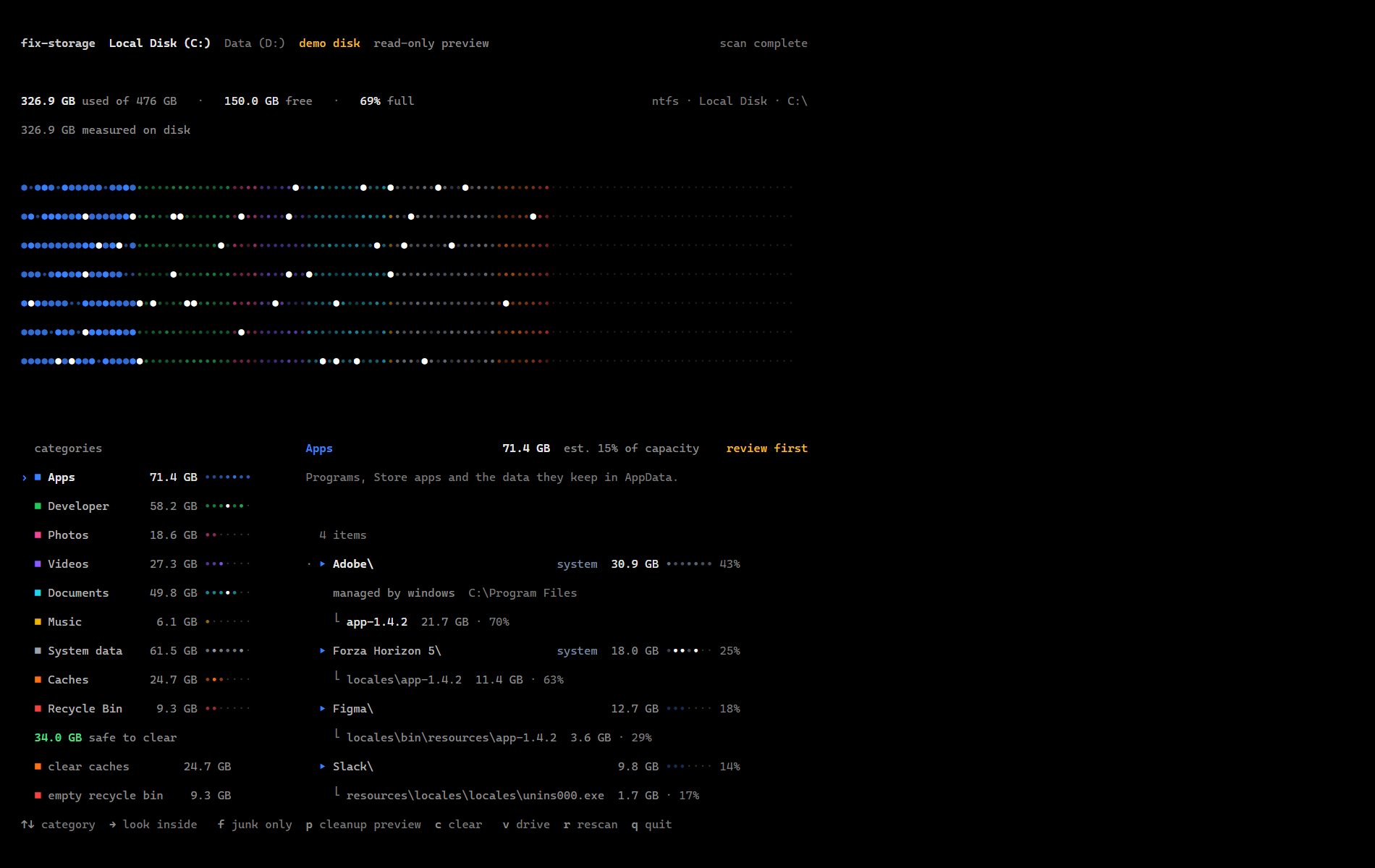
Windows can tell you a volume is almost full. It rarely tells you which folder, which cache, or which forgotten installer is responsible. fix-storage measures the volume, groups the result into categories people recognize, and follows the largest child folder until the culprit is small enough to inspect. The point is not a prettier storage chart. It is a route to the thing taking up the room.
This is a Windows port of fix-storage, the macOS and Linux terminal disk analyzer by govijr. The upstream project supplied the terminal-first reading, categories, labels and culprit search. The Windows work existed in contributed branches but was not an official release. This port closes that gap, integrates the branches with the current upstream structure, and adds a deliberately narrow Recycle Bin cleanup path.
It is independently maintained. It is not an official upstream release, and it is not an entirely original application. The upstream MIT licence and attribution travel with it.
No fabricated screens. The terminal captures on this page come from the repository’s docs/screenshots/ directory and show the built interface on a demo disk. The demo paths and sizes are synthetic.
Measure first. Follow the weight.
On launch, the tool discovers mounted volumes and walks the selected drive read-only. It reports logical bytes, allocated bytes and filesystem usage separately. Category totals are scan estimates; the headline and the dot-matrix meter use the filesystem’s own figures, so the sum can differ when data is shared or unmeasured.
Categories are Apps, Developer, Photos, Videos, Documents, Music, System data, Caches and Recycle Bin. Inside a folder, items carry a label: junk, unused, system, or no label when the item is yours and in use. The one-line reason matters more than the label: a cache that rebuilds itself, an installer left behind, or data a tool manages.
The culprit search runs one pass over the folder, then follows the biggest child while it holds more than half of its parent. When no single item dominates, it shows the three biggest instead. It stops at things that are already one unit, such as a package cache, and descends to a single file when one file is the folder.f reduces the view to junk and unused; g jumps to the current culprit.
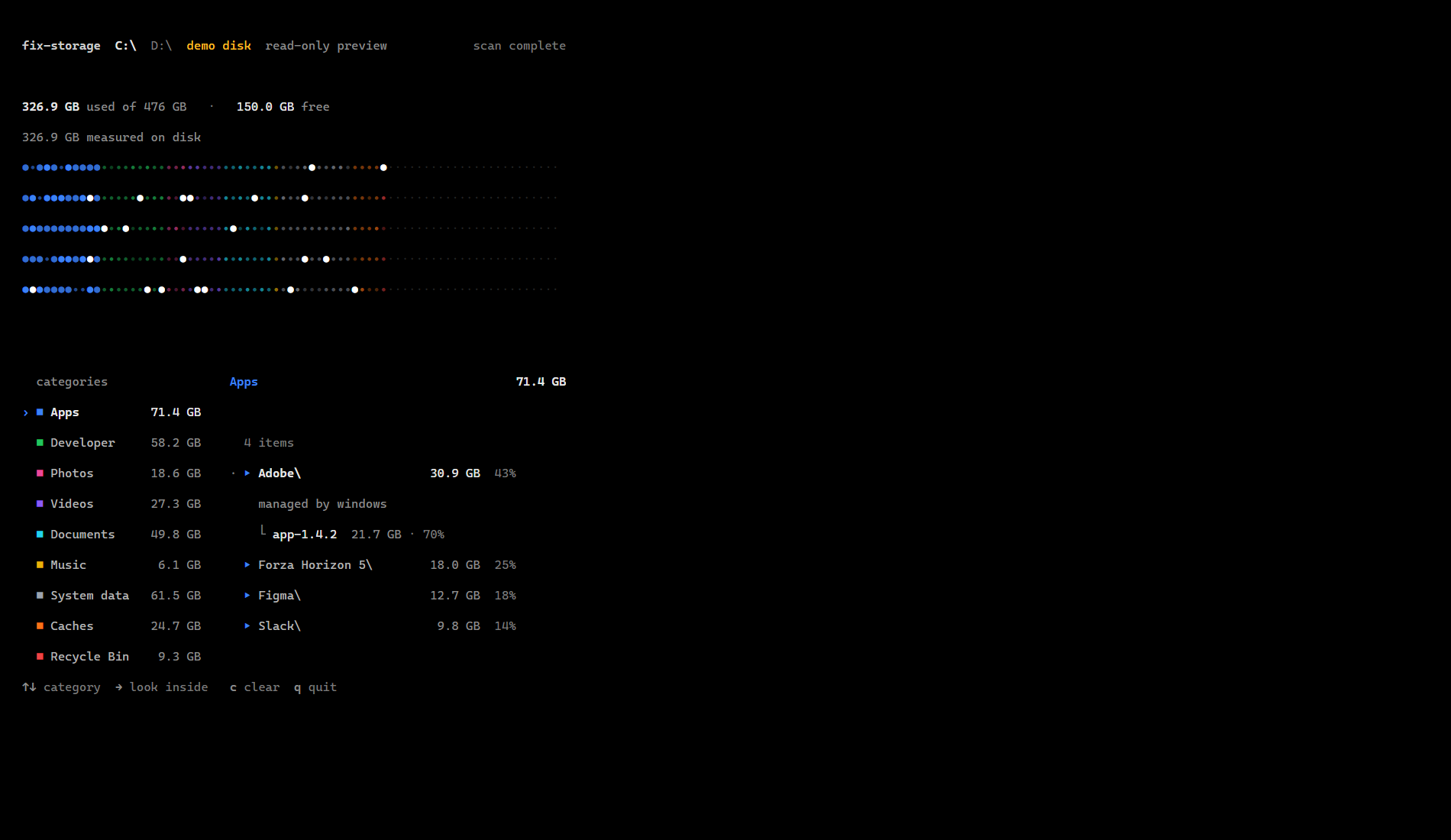
Accounting is not hidden. Measured totals can exceed filesystem usage when hard links are counted more than once. The port keeps upstream’s measured-versus-filesystem accounting visible instead of forcing the numbers to agree.
Keyboard first. Mouse optional.
The terminal is the interface, not a wrapper around a hidden window. Move with arrows or j/k; open with Enter or →; go back with Esc or ←; switch panes with Tab. v cycles drives, 1–9 selects one directly, p opens the cleanup planner, x cancels a scan, and q quits.
The layout targets 80, 120 and 160 columns in Windows Terminal. It keeps exact paths, counts and byte accounting visible at each width, and adds narrow and short modes rather than squeezing a desktop sidebar onto a small console. It uses ANSI and UTF-8; a terminal without those conventions is not the target.
| Key | Action |
|---|---|
| ↑ ↓ / j k | Move through categories, folders or rows. |
| → / Enter | Open a folder or look inside a category. |
| ← / Esc | Go back a level. |
| g | Jump to the current culprit. |
| f | Show only junk and unused items. |
| o / Space | Reveal the item in File Explorer. |
| p | Open the cleanup planner. |
| v / 1–9 | Next drive, or that drive directly. |
| Tab | Switch panes. |
| x | Cancel a running scan. |
| r / q | Rescan / quit. |
| Key | Action |
|---|---|
| ↑ ↓ / j k | Move through candidates. |
| Space / a | Add or remove the highlighted individual file. |
| i | Show more or less detail. |
| o | Reveal in File Explorer. |
| r | Arm, then confirm within four seconds. |
| Esc / x | Cancel the current confirmation. |
| p / q | Close the planner / quit. |
Mouse is not required. The Windows build supports console mouse input, but every browsing and cleanup action has a keyboard path.
Nothing moves until you say so twice.
A normal --scan launch is read-only. p opens the cleanup planner for the current category or folder. Every candidate is an individual regular file, and every row says why it is eligible or blocked. Folders are blocked; open the folder and select files inside it.
Press space to add the highlighted file. Press r once to arm. The review lists every exact path and shows logical and allocated bytes. Nothing has moved. Press r again within four seconds to run, or esc to cancel. The result separates successful, rejected, canceled and uncertain outcomes.
Preview is the default. The planner says PREVIEW MODE · NO FILE IS CHANGED; confirming it runs a local simulation and reports actual disk space recovered: 0 B. That is not a failed cleanup. Recycled files remain in the Recycle Bin, so their bytes are not free space until the bin is emptied outside this beta.
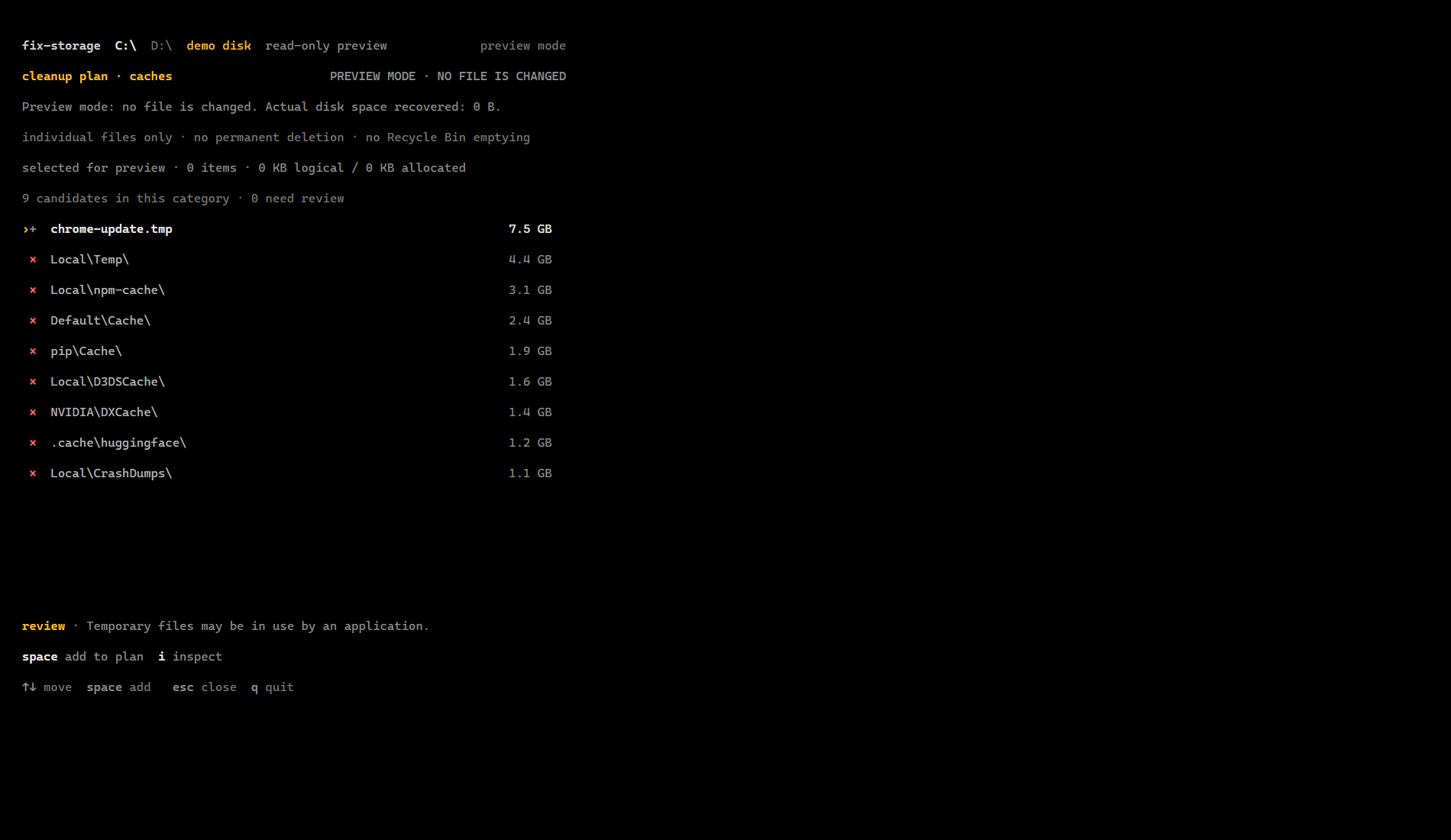
The scope is narrow on purpose. Non-elevated, local volumes only. Allowlisted user cache roots and Downloads files that pass individual review. No folders, reparse points, shared hard links, cloud placeholders, system paths or other users’ profiles.
Real recycling is a separate decision.
.\\fix-storage.cmd --scan --recycle is the only product path that enables real cleanup, and only for that launch. It requires a live scan, a non-elevated session, the reviewed helper and the two-press approval. It is rejected with --demo, --plain, --json, --drives or --dry-run.
Files move to the Windows Recycle Bin. Nothing is permanently deleted. The beta never removes a folder recursively, never empties the bin, never falls back to permanent deletion, and never retries after an uncertain result. Results separate recycled, rejected, canceled, uncertain and skipped outcomes. A durable append-only journal records every operation; startup reconciliation is read-only and never restores files automatically.
The reviewed production helper is included in the package and pinned by SHA-256 fb4995d0b1a4820ebc80cd8f34e963fe7363cd9f368a58c8a063b0521d9fda64. The app refuses a QA helper, a rebuilt-unreviewed helper or a changed file. The helper also refuses elevation.
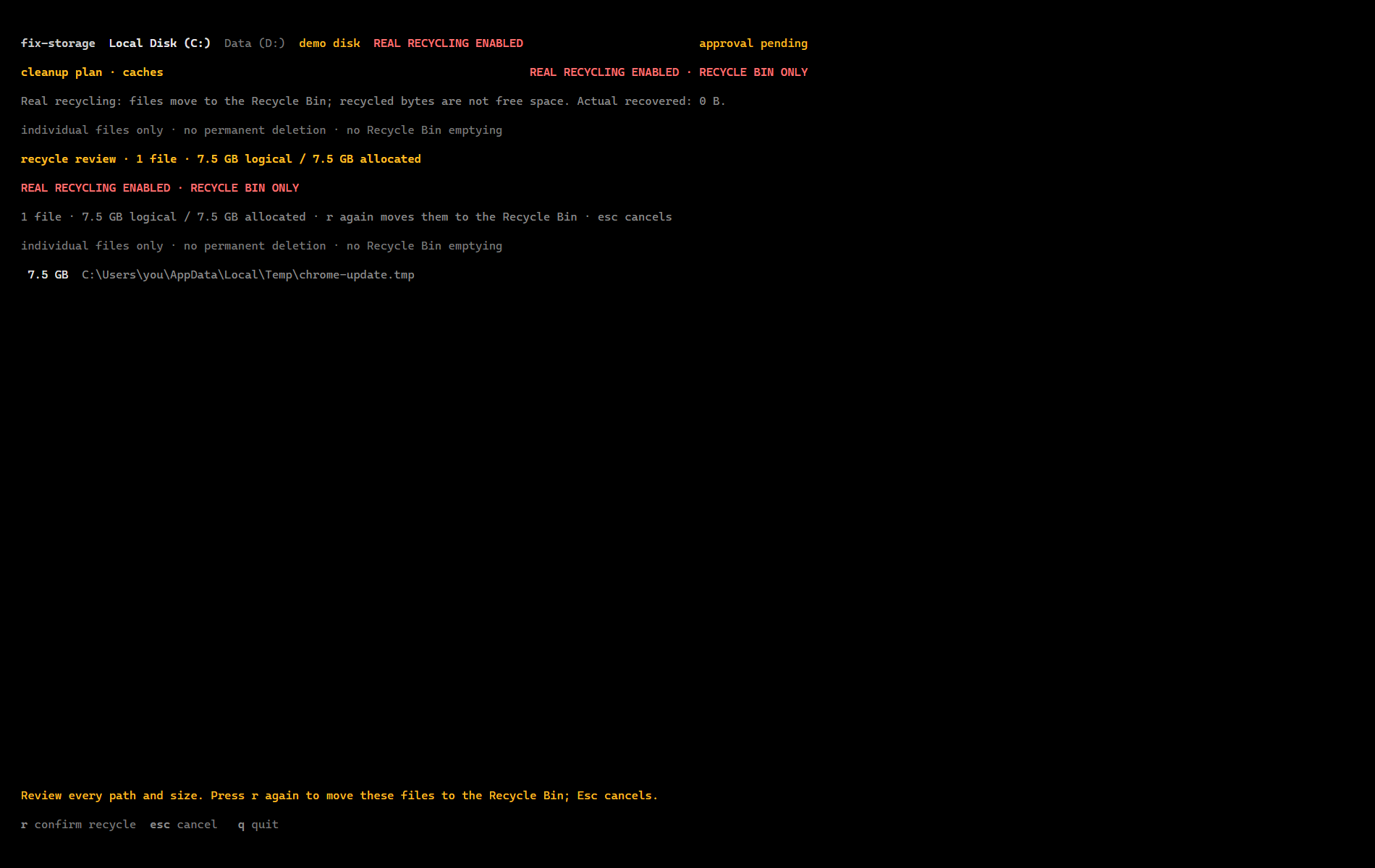
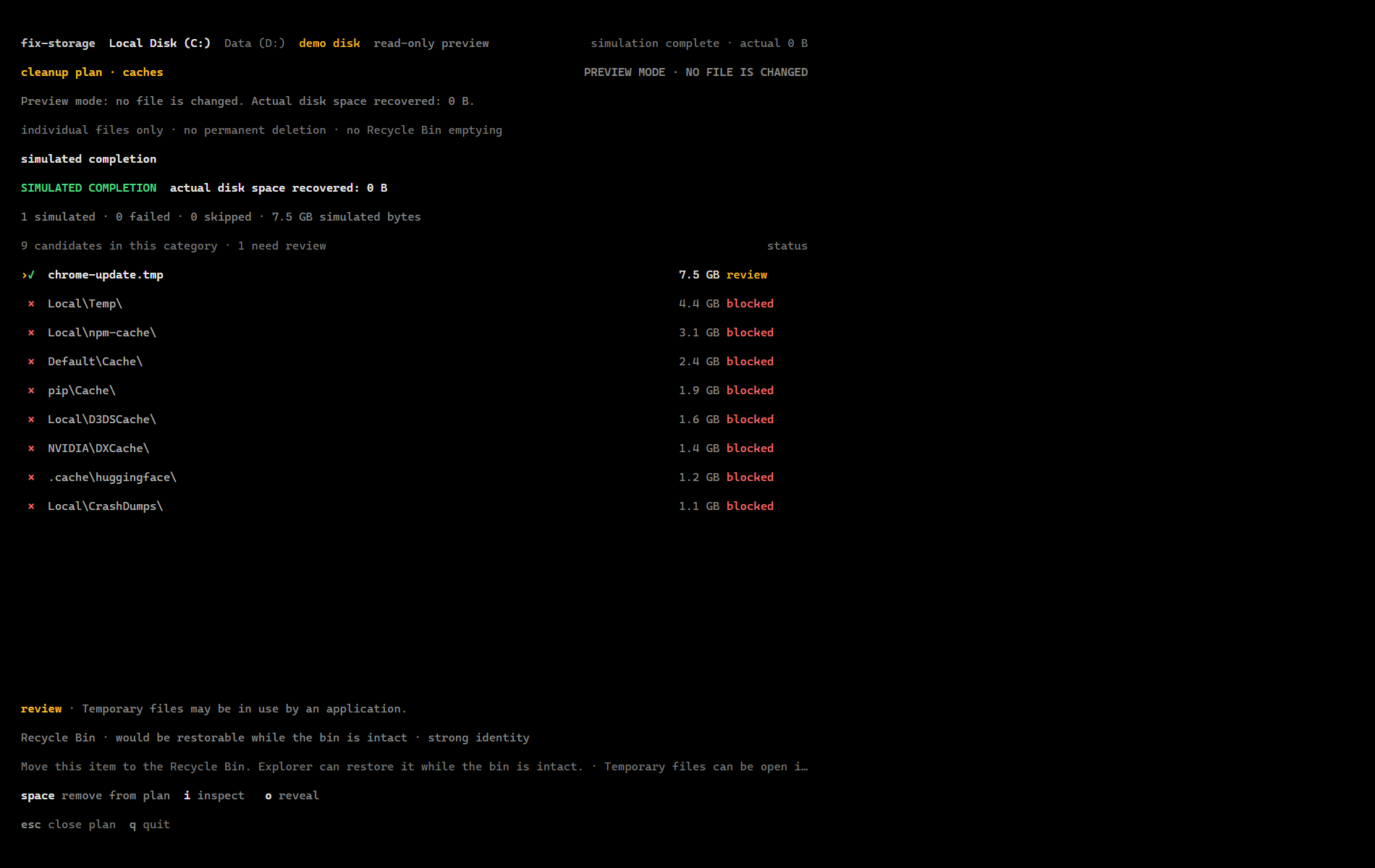
Recycled is not deleted. Recycled bytes are in the Recycle Bin, not free disk space. Actual recovered space stays 0 B until the bin is emptied outside this beta.
A Windows surface around a Unix idea.
fix-storage — Windows is TypeScript on Node.js 20.11 or newer. The interactive renderer is character-based: a layout layer keeps panes, rows and the disk meter aligned, and the Windows runtime switches to it instead of the pixel renderer used on macOS and Linux. Drive discovery, known-folder lookup, user identity, $Recycle.Bin parsing and the Shell helper live in the Windows core. A C#/PowerShell directory lister accelerates scans, with a plain Node fallback.
The port keeps upstream’s measured-versus-filesystem accounting and long-list viewport behaviour, and adds Windows-specific narrow and short modes. Windows consoles can report a larger buffer than the visible window, so the renderer draws within a conservative cell viewport; FIX_STORAGE_MAX_COLUMNS and FIX_STORAGE_MAX_ROWS override it. The pixel dependency is optional so a Windows install succeeds even though its native runtime is not built for win32.
The production Recycle Bin helper is compiled and shipped with the beta, not rebuilt on the user’s machine. Its SHA-256 is pinned in src/core/cleanup/production/helper.ts; the package build refuses a helper that does not match the pin.
npm install
npm run typecheck
npm test
npm run package:beta
node scripts/verify-beta.mjs- AccountingCurrent upstream measured-versus-filesystem accounting was kept instead of the Windows branch’s older model.
- ViewportLong-list scrolling, row basis and right padding were restored; narrow and short modes were added for Windows consoles.
- Safety rulesPrivate-data subtree protection and tool-managed labels from PR #7 were adapted into the current scan and store structure.
- ExecutorDirect filesystem mutation stays compiled off. The reviewed production Recycle Bin executor is reachable only through
--scan --recycle.
No benchmark claims. The repository does not publish a scan-speed comparison, and this page does not invent one.
Download, verify, unpack, run.
The v0.2.0 beta is a pre-release ZIP, not an installer. It requires Node.js 20.11 or newer and a Windows Terminal with ANSI and UTF-8 support. No administrator rights and no elevation are needed.
- Download the beta. Get fix-storage-windows-beta-0.2.0.zip (840,242 bytes) from the v0.2.0 release.
- Verify the checksum. Download the published
.sha256asset and compare it with the local file. - Unpack it. Extract the ZIP anywhere you can write. The folder contains
fix-storage.cmd. - Open Windows Terminal in that folder. Run the demo first; it reads nothing.
- Scan read-only. Try
--scanbefore considering the planner. Real recycling stays off unless you explicitly add--recycle.
certutil -hashfile fix-storage-windows-beta-0.2.0.zip SHA256

# Expected v0.2.0 value:
f9332c8562fc28fc31e4244316b173b3d194b2c2bdc569b5da7860000423c551
The attached .sha256 file is the authority. The value printed here matches the v0.2.0 release asset at the time of writing; verify the file you actually downloaded.
# synthetic disk; reads nothing
.\fix-storage.cmd --demo

# live scan; read-only, preview only
.\fix-storage.cmd --scan

# scripted summaries; still read-only
.\fix-storage.cmd --plain --scan
.\fix-storage.cmd --json --scan

# detected volumes; read-only
.\fix-storage.cmd --drives

# real recycling for this launch only
.\fix-storage.cmd --scan --recycleA beta with the edges drawn on purpose.
This is a pre-release for one narrow job on one tested platform. The boundaries below are part of the product, not a temporary disclaimer to skim past.
- PlatformWindows 11 x64 was tested. Windows 10 and ARM64 are unverified.
- RuntimeNode.js 20.11 or newer is required.
- Cleanup scopeRecycle Bin only. No permanent deletion, permanent fallback, recursive folder removal, bulk cleanup, bin emptying or automatic cleanup.
- TargetsIndividual regular files only. No folders, reparse points, shared hard links, cloud placeholders, or system and protected paths.
- PrivilegesNon-elevated sessions and local volumes only.
- AtomicityThe Shell recycle call is path-based and not atomic. A substitution is detected afterwards as uncertain, not prevented.
- AccountingActual disk space recovered stays
0 Buntil the Recycle Bin is emptied outside this beta. - FailureUncertain outcomes stop the batch. There is no automatic retry; reconcile from the journal before doing anything else.
- EnvironmentOne ordinary user account. Not a shared or hostile same-user desktop.
- DistributionPre-release, independently maintained, and not an official upstream release.
“Unverified” means untested. It does not mean “probably fine.”
A real beta, labelled honestly.
v0.2.0 · Windows Beta
Read-only scan, category and folder views, culprit finder, preview-first cleanup planner, explicit opt-in Recycle Bin recycling, reviewed helper pinned by SHA-256, and a durable recovery journal. Windows 11 x64 tested; Windows 10 and ARM64 unverified.
Windows port audit
Upstream Windows branches integrated with the current main structure, character renderer, hard-link-aware totals, private-data and tool-managed safety rules, and the long-list viewport fixes.
Deliberate omissions
No permanent deletion, permanent fallback, recursive folder removal, bulk cleanup, bin emptying, automatic retry, installer, or official upstream release.
The release is a GitHub pre-release. The version is v0.2.0 Beta, not a stable 1.0.
Built on someone else’s work, with the receipts.
The upstream fix-storage project is MIT licensed. This Windows port reuses MIT-licensed code and design from the upstream project and its contributed Windows branches. The NOTICE credits Wally Magill for the private-data and tool-managed safety rules (PR #7), pyjeebz for explicit OS handling and the Windows core and renderer (PR #9, #10, #11), and the upstream authors and contributors, including the Linux and drive work merged as #8 and #13 and fixes in #6, #15, #19 and #21.
No upstream repository was modified, pushed to or relicensed by this port. The Windows repository keeps the MIT licence, the NOTICE and the upstream audit.
Cover artwork supplied for LAB/. Source and replacement note recorded locally at public/software/fix-storage/CREDITS.md. Terminal screenshots: repository docs/screenshots/.
See the weight.
Keep the file.
The beta is ready for Windows 11 x64. Start with the demo, scan read-only, and opt into recycling only when the paths and sizes make sense.